
Learn Writing (MM)1.2.5 - Google Play
You'll be able to see results in few seconds.
Publisher Description


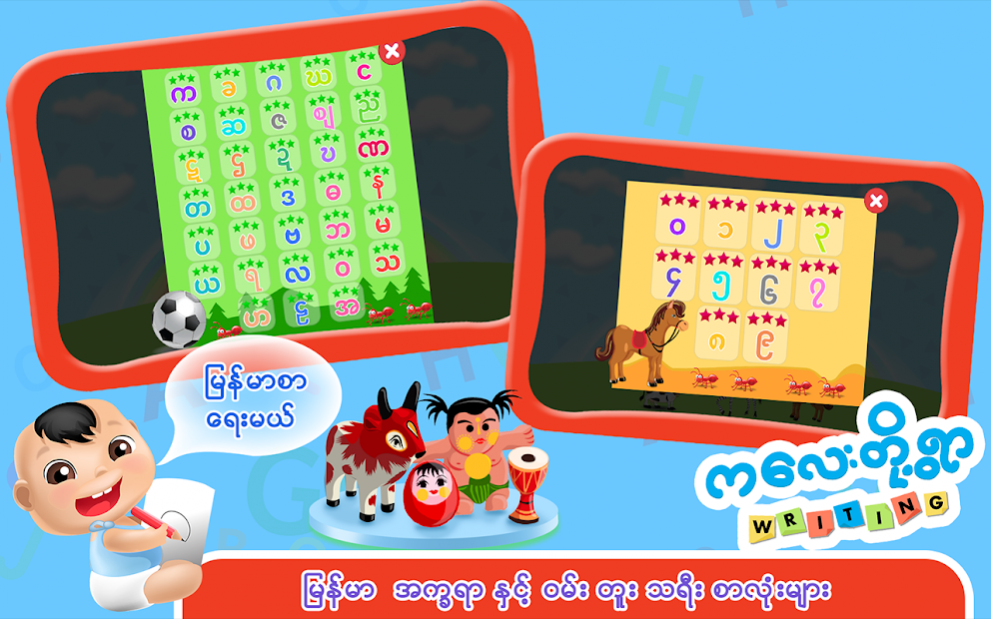
“ကေလးတို႔ရြာ လက္ေရးလွ”တြင္ အဂၤလိပ္အကၡရာ အႀကီး ၊ အေသး (ေအ မွ ဇက္ အထိ) ၊ ျမန္မာအကၡရာမ်ား ၊ အဂၤလိပ္နံပါတ္မ်ား ႏွင့္ ျမန္မာလို နံပါတ္မ်ား ၏ ေရးနည္းမ်ားပါ၀င္ပါသည္။ ေရးနည္းမ်ားကို အဆင့္ဆင့္ မွန္မွန္ကန္ကန္ ေရးဆြဲနည္းမ်ားကို ဂိမ္းကစားရင္း သင္ေပးသြားမွာပါ။
ကစားပုံ ကစားနည္း
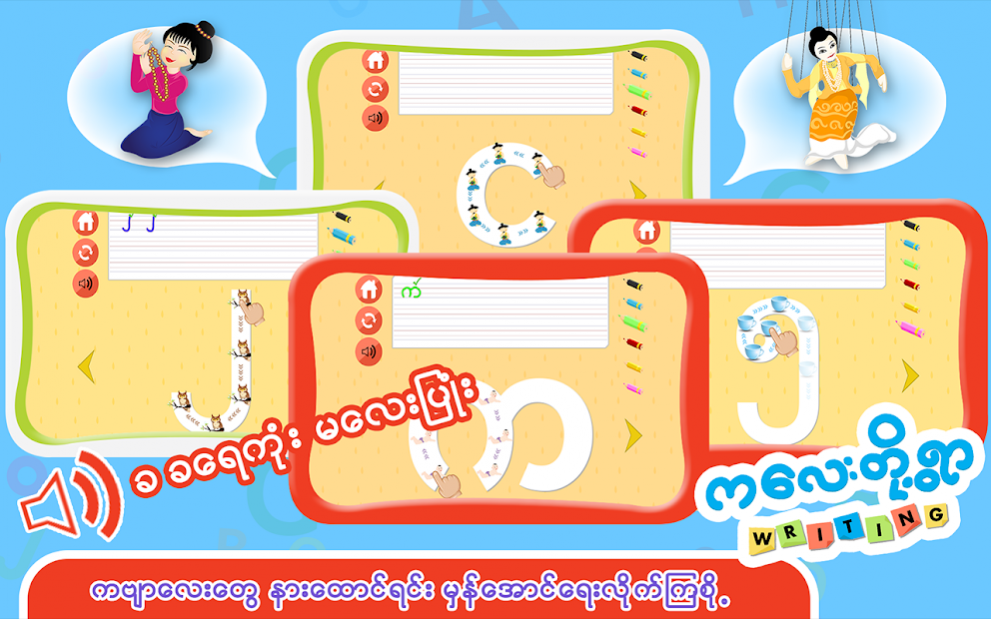
ေရးဆြဲနည္းတစ္ဆင့္ခ်င္းစီကို ရုပ္ပုံေလးမ်ားၾကားတြင္ ျမွားကေလးမ်ားျဖင့္ ျပထားၿပီး စတင္ေရးဆြဲရမည့္ေနရာကိုလည္း လက္ပံုစံေလးျဖင့္ ျပသထားပါသည္။
ေရးဆြဲရမည့္ပံုစံကိုလည္း လက္ကေလးက လွဳပ္ရွားၿပီး ျပသသြားမွာပါ။ ကေလးငယ္မ်ား ေရးဆြဲရင္း စာလံုးေလးမ်ားကို မွတ္မိသြားေစရန္ စကားလံုးအသံထြက္ကိုလည္း ထည့္သြင္းေပးထားပါတယ္။
အဆင့္ဆင့္ေရးဆြဲနည္းမွန္ကန္ရင္ေတာ့ အစိမ္းေရာင္အမွန္ျခစ္ကေလးျပမွာျဖစ္ပါတယ္။ တစ္ကယ္လို႔ ေရးဆြဲနည္းမွားရင္ေတာ့ အနီအေရာင္အ၀ိုင္းေလး ျပမွာျဖစ္ပါတယ္။
ညာဘက္ျခမ္းတြင္ ခဲတံအေရာင္ေလးမ်ားကိုလည္း ၆ ေရာင္ေပးထားပါတယ္..။ ႀကိဳက္ႏွစ္သက္ရာအေရာင္ကို ေရြးျခယ္ၿပီး ေရးဆြဲႏိုင္ပါသည္။
ဥပမာ - ေအ ဆိုလွ်င္ ေရးဆြဲရန္ အစမွ လက္ပံုစံေလးမွ ေထာက္ျပထားၿပီး အသံထြက္ ေအ ဆိုၿပီး ထြက္ေပၚလာပါလိမ့္မယ္။
ေလ့လာမွဳဇယား
ကေလးငယ္မ်ား ဘယ္က႑ကို ဘယ္ေလာက္ေလ့လာထားလဲ ဆိုတာ မိဘမ်ား ၾကည့္ရွဳႏိုင္ရန္ ေလ့လာမွဳဇယားလည္း ပါ၀င္ပါတယ္။
ေလ့လာမွဳဇယားထဲတြင္ ကေလးငယ္မ်ား အကၡရာမ်ားကို ဘယ္ေလာက္ေလ့လာထားသလဲ ၊ ၾကယ္ပြင့္ေလးမ်ား ဘယ္ေလာက္ရထားသလဲ ၊ စာလံုးအမွားကို ဘယ္ေလာက္ေရးထားလဲ ၊ အမွန္ကို ဘယ္ေလာက္ေရးထားလဲ အစရွိသည္တို႔ကို ၾကည့္ရွဳႏိုင္ပါတယ္။
English Version
-----------------------
Learn Writing is one of the game from Children’s Village Education Games Series of Myanmar which provides your kids to write total of 5 different letters in fun and interactive way.
It includes English Alphabets (Capital & Small), Myanmar Alphabets, and Numbers (in English & in Myanmar). This game can play not only Preschool age but only adults who interested to try learning Myanmar.
How to Play:
Finger shape and arrows will let you show where to start writing step by step. Touch every characters on the Alphabets shape to complete writing.
Every single characters got voice over to let your kids remember the letters while playing. You will see green tick if you write correctly, if not there will be Red Cross and need to start again. Every alphabets will need to write 3 times to proceed to the next alphabets. Once one alphabet is over, there are related characters come out with voice over action and short poem for Myanmar alphabets as well.
Analytics:
This is one of the best features of the game which will allow parents to monitor their kid’s performance where the kids were weak or good at in which alphabets, etc.
Features:
-Fun and Addictive
-6 different colour pencils available
-Uppercase and Lowercase letter writing
-Cute Animated character guides for help in writing
-Each animated characters got voice over
-Analytics
Like Us on Facebook:
https://www.facebook.com/childrenvillagegames
About Learn Writing (MM)
The company that develops Learn Writing (MM) is Education Club. The latest version released by its developer is 1.2.5.
To install Learn Writing (MM) on your Android device, just click the green Continue To App button above to start the installation process. The app is listed on our website since 2020-12-17 and was downloaded 0 times. We have already checked if the download link is safe, however for your own protection we recommend that you scan the downloaded app with your antivirus. Your antivirus may detect the Learn Writing (MM) as malware if the download link to com.JoyDash.LearnWritingM is broken.
How to install Learn Writing (MM) on your Android device:
- Click on the Continue To App button on our website. This will redirect you to Google Play.
- Once the Learn Writing (MM) is shown in the Google Play listing of your Android device, you can start its download and installation. Tap on the Install button located below the search bar and to the right of the app icon.
- A pop-up window with the permissions required by Learn Writing (MM) will be shown. Click on Accept to continue the process.
- Learn Writing (MM) will be downloaded onto your device, displaying a progress. Once the download completes, the installation will start and you'll get a notification after the installation is finished.
Program Details
System requirements
Download information
Pricing
Version History
version 1.2.5
posted on 2020-12-17
All contents are now free!
version 1.2.4
posted on 2020-03-10
Fixed some bugs!
version 2.4
posted on 2019-09-12
64bit support
Fixed bugs
version 2.2
posted on 2017-07-04
version 2.0
posted on 2016-09-30
-Fixed low memory devices to playable
Disclaimer
Official Google Play Link
We do not host Learn Writing (MM) on our servers. We did not scan it for viruses, adware, spyware or other type of malware. This app is hosted by Google and passed their terms and conditions to be listed there. We recommend caution when installing it.
The Google Play link for Learn Writing (MM) is provided to you by apps112.com without any warranties, representations or guarantees of any kind, so access it at your own risk.
If you have questions regarding this particular app contact the publisher directly. For questions about the functionalities of apps112.com contact us.
